Buying guide for The best iPhone for every kind of user
Ready to buy now? Shop the best:
The era of one new iPhone launch per year is long gone. In case you don't follow the tech news cycle, Apple releases several iPhone models with each generation, offering a Pro line for power users alongside standard models at lower price points. You can now also find superslim and entry-level models, too.
Our team at BestReviews has dissected countless iPhones over the last decade. We’ve examined Apple’s current lineup and have concluded that, with features previously reserved only for Pro models, the regular Apple iPhone 17 is the best iPhone for most people.
New releases for 2026
iPhone Duo
Folding phones have been around for a while now, but Apple’s first crack at it feels premium. It’s light and compact enough to take on the go, but features a 7.6-inch screen that’s big enough to read, work and watch videos on. Close it and it’s a regular phone again, simple as that.
Available for preorder Oct. 16, starting at $1,999.
iPhone 18 Pro
This is the best option for most people who want a traditional iPhone with some upgraded features. A professional-quality camera, an all-day battery life and speeds that rival a desktop make this a high-end option for those who need a reliable smartphone.
Available for preorder Sept. 12, starting at $1,199.
iPhone 18 Pro Max
With a lot of the same features as the 18 Pro, the 18 Pro Max has an oversized 6.9-inch HDR display and an incredible battery life. As someone who has had the previous generation Pro Maxes as their daily drivers for the past several years, it’s a powerhouse that looks and feels like one.
Available for preorder Sept. 12, starting at $1,299.
Editors' picks
Apple iPhone 17
Best for Most People
Display Size and Type: 6.3” always-on 120 Hz OLED | Processor: A19 | Storage Options: 256, 512 GB | Camera Resolution: 48 MP | Battery Life: 30 hr
With a gorgeous display previously found only on Pro models, the regular Apple iPhone 17 is the best new iPhone for most people. It’s fast, powerful and beautiful to look at — and a worthy upgrade for anyone who owns a previous model.
The iPhone 17 is the first non-Pro model to boast a display with Apple’s ProMotion variable refresh rate. Once reserved only for Pro phones, this feature lets the iPhone 17’s display to refresh as fast as 120-hertz for smooth, fluid graphics. The iPhone 17’s 6.3-inch display also brings always-on capability to the non-Pro price range, letting you see the time, date and notifications even when the iPhone isn’t in active use. The display’s black border is as thin as it's ever been, giving you even more immersive screen real estate.
Battery life is improved at up to 30 hours of nonstop streaming video, while the A19 chip lets you run Apple Intelligence and complex games. While it lacks a true telephoto lens, the iPhone 17’s back camera is capable of 2x optical zoom, 0.5 ultra-wide shots, and even macro photography, while an 18-megapixel front camera allows for dual-camera video.
Apple iPhone 17e
Best Budget-Friendly iPhone
Display Size and Type: 6.1” 60Hz OLED | Processor: A19 | Storage Options: 256, 512 GB | Camera Resolution: 48 MP | Battery Life: 26 hr
If you want a brand-new iPhone but want to save a little on your budget, consider the Apple iPhone 17e. It offers many of the benefits of the rest of the iPhone 17 generation at a lower and more wallet-friendly price, as long as you can live with a few compromises.
The iPhone 17e runs on the same A19 chip as the standard iPhone 17, so it can run Apple Intelligence, power-user apps and complex games easily. Its 6.1-inch OLED screen is a bit of a throwback to previous generations, but is colorful and bright, with the same Ceramic Shield protection as other recent iPhone models. While it has only a single lens on its rear camera, it’s capable of either 1x or 2x optical zoom.
The 12-megapixel front camera on the 17e is another throwback to older iPhone generations with fewer video capabilities, and it uses a notch rather than the informative Dynamic Island found in the rest of the iPhone 17 series. Nevertheless, its embrace of key upgrades makes the iPhone 17e a compelling lower-cost choice for iPhone shoppers.
Apple iPhone 17 Pro
Best Cameras
Display Size and Type: 6.3” always-on 120Hz OLED | Processor: A19 Pro | Storage Options: 256 GB, 512 GB, 1 TB | Camera Resolution: 48 MP | Battery Life: 33 hr
Moving away from the refined air of previous Pro models, the Apple iPhone 17 Pro looks like a true professional tool. Its specs and cameras make it close to an all-in-one photographic and videographic powerhouse, with a viral color option that’s impossible to miss.
Running on an A19 Pro processor, the iPhone 17 Pro can tackle demanding tasks with ease, including computational photography and advanced videography. It’s a camera powerhouse, with a telephoto lens offering up to 8x optical zoom, and support for spatial photos, spatial video, ProRAW and ProRes. Advanced videographic features include a LIDAR scanner, 3D sensor-shift image stabilization, macro video recording and a four-mic array for capturing audio.
The 17 Pro is slightly bulkier in all respects than the non-pro iPhone 17. It has a longer battery life of 33 hours as well. Its USB-C charging port offers USB three speeds for connecting to external media, great for flash drives and SD card adapters. Style-wise, its Cosmic Orange colorway has become both popular and unmistakable.
Apple iPhone 17 Pro Max
Best Big-Screen iPhone
Display Size and Type: 6.9” always-on 120Hz OLED | Processor: A19 Pro | Storage Options: 256 GB, 512 GB, 1 GB, 2 TB | Camera Resolution: 48 megapixels | Battery Life: 39 hours
If the iPhone 17 Pro is truly a pro’s phone, the Apple iPhone 17 Pro Max is all that and more. Showing off one of the biggest screens ever found on an iPhone, the iPhone 17 Pro Max is not just a tool for shooting professional photos and videos, but also a platform for viewing and editing them, too.
The iPhone 17 Pro Max boasts a 6.9-inch Super Retina XDR screen with ProMotion refresh rates up to 120 hertz. Like the smaller 17 Pro, the 17 Pro Max has Ceramic Shield toughness on both its front and back, adding more scratch resistance than ever. Its hefty size and weight — it’s more than 8 ounces — helps hold a battery that offers 39 hours of nonstop video playback.
The 17 Pro Max has the same robust and powerful rear camera system as the 17 Pro, with telephoto zoom up to 8x optical, macro photos and video, ProRAW and ProRes, and Dolby Vision support. To hold all that pro-quality footage, the Pro Max offers up to 2 terabytes of storage, the most of any iPhone model.
Apple iPhone Air
Best Lightweight iPhone
Display Size and Type: 6.5” always-on 120Hz OLED | Processor: A19 Pro | Storage Options: 256 GB, 512 GB, 1 TB | Camera Resolution: 48 megapixels | Battery Life: 27 hours
The Apple iPhone Air is an outlier in the iPhone lineup. It’s the thinnest iPhone model ever, with all the hallmarks of a premium device, and priced accordingly. It’s also got a couple of notable shortcomings.
The iPhone Air is designed to look and feel elegant. At just 0.22 inches thick, it’s thinner than the circumference of a headphone jack, or two pennies stacked on each other. (The camera bump, expectedly, is much thicker.) It’s not small, however, being taller and wider than the standard iPhone 17. It also runs on the same A19 Pro chip as the iPhone 17 Pro and Pro Max. It’s as thin and light (at less than 6 ounces) as any iPhone has ever been, and is best appreciated by aficionados who value impressive design and luxury over features.
Its two obvious shortcomings are its single rear camera lens, the same wide-angle lens found in other iPhone 17 models, and its battery life, which at 27 hours is good but not as good as the iPhone 17 or 17 Pro. Overall, however, its specs reflect those of its thicker siblings, making it an enticing iPhone for anyone willing to pay a premium for an impressive design.
Expert TIp
Apple iPhones don’t include a headphone jack. If you plan on using your iPhone with headphones, you’ll need to get a set of Bluetooth headphones or wireless earbuds, or you can connect via USB-C cable.
BestReviews Electronics Expert
Things to consider when shopping for an iPhone
To Pro or not to Pro
For most people, the first thing to decide when buying an iPhone is whether to get a regular iPhone or an iPhone Pro. The non-Pro iPhone costs less, while the iPhone Pro line costs more. iPhone Pro models also have more features and more advanced or robust specifications, such as a better screen, better cameras or faster processor. Some years, the gap between Pro and non-Pro iPhones is wide; other years, it’s narrow. Perhaps the most notable difference between the two lines? iPhone Pro models have a telephoto lens; non-Pro iPhones don’t.
Entry-level iPhone models, such as the SE and model-e editions, are best for people who want an iPhone at a lower price. These models typically have a single camera and fewer, less-robust features and specifications. The iPhone Air stands by itself as a smartphone for people who are willing to pay a premium for its design and don’t mind its shortcomings.
Size, weight and color
iPhones have grown bigger since they were introduced. Many shoppers prefer to get the biggest iPhone models available to enjoy a bigger screen and larger physical battery. Regular-sized iPhones are easier to keep in a pocket and tend to be easier to hold on the go. In some years, Apple has released smaller Mini and larger Plus models, as well as the largest Pro Max size.
Color is another option when shopping for an iPhone. iPhones used to be available in just black or white. Since the iPhone XR, Apple has issued iPhones in a variety of colors that vary year over year. Tip: If you’re going to buy a case, color won’t matter as much, unless the case is transparent.
Our picks for size and weight
- The regular iPhone 17 is 5.89 inches tall, 2.81 inches wide and 0.31 inches thick, not counting the camera bump. It weighs 6.24 ounces and comes in muted pastel colors as well as black and white.
- The iPhone 17 Pro Max is the biggest iPhone currently on sale. It’s 6.43 inches tall and over 3 inches wide, although only 0.34 inches thick except for the camera bump. It weighs over 8 ounces.
- The iPhone 17 Pro and Pro Max come in the surprisingly popular and viral Cosmic Orange colorway.
- The iPhone Air is tall and thin, measuring 6.15 inches in height, 2.94 inches wide, and only 0.22 inches thick without the camera. It comes in four colors.
Cameras
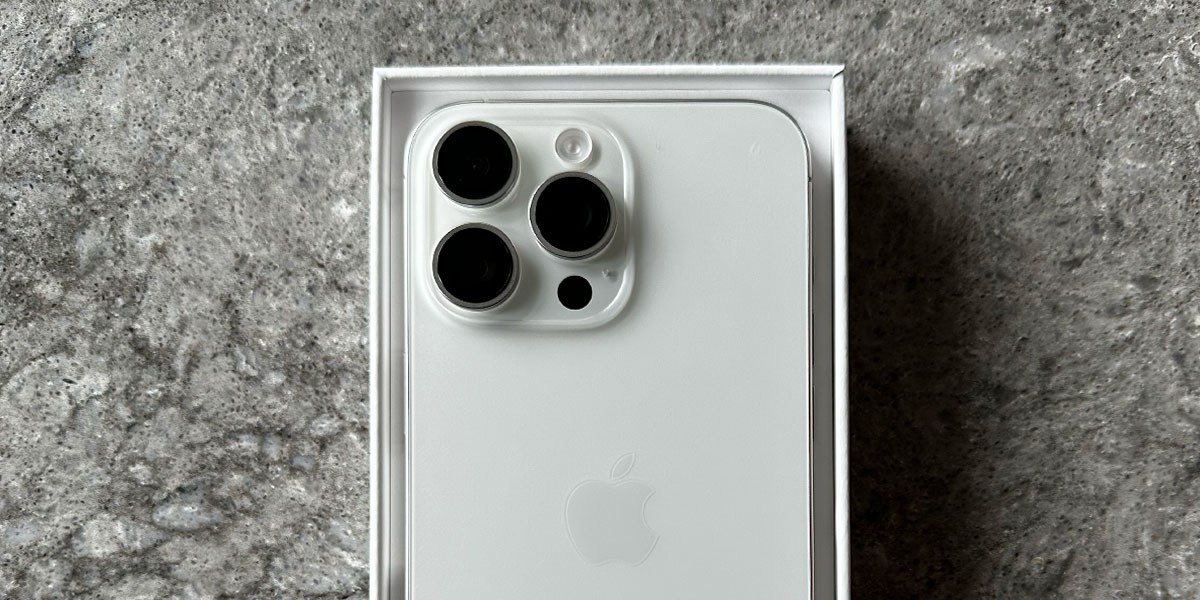
iPhone cameras are another way to distinguish between models. Beginning in 2010, iPhones have had cameras in the front and back, with the back cameras having at least one and usually two or more lenses. iPhone back cameras have a main wide lens and an ultrawide or telephoto lens; Pro models have all three. iPhone front cameras typically shoot photos and videos in lower resolution than the back cameras. Some iPhone models support close-up macro shots as well.
iPhone models since the iPhone 16 feature a camera control button that activates the camera app when pressed and can adjust options like focus, lens type and more.
Our picks for cameras
- The iPhone 17 Pro and Pro Max have the most camera capabilities and features, with 48-megapixel sensors, a wide, ultrawide and telephoto lens, macro capability, optical zoom up to 8x, ProRAW support and 4K ProRes video up to 120 frames per second.
- The iPhone 17 regular model has the same 18-megapixel front camera as the Pro models, and its 48-megapixel rear cameras support 2x semi-optical zoom and macro photography. It doesn’t support ProRAW or ProRes.
- The iPhone Air has a single rear camera with up to 2x semioptical zoom, but no macro photography or ultrawide mode. It has the same high-quality 18-megapixel front camera as the iPhone 17 and iPhone 17 Pro.
- The iPhone 17e’s front camera is a throwback to previous model years. It’s only 12 megapixels and lacks many of the features introduced with the rest of the iPhone 17 generation.
Display
Beginning with the iPhone X, iPhones have used OLED Super Retina XDR displays. These displays have individually-lit pixels for contrast, detail and power savings, high resolutions to make text and images look almost perfectly smooth even at small sizes, and high dynamic ranges with realistic contrast. Introduced in 2022, a Dynamic Island hides the front-facing camera lens and sensors behind an interface element that can change shape to display active updates.
Our picks for displays
- The iPhone 17 is the first regular iPhone to share the same display as Pro models, with Apple’s ProMotion adaptive refresh rates up to 120 hertz and always-on capability. Its display stretches almost edge-to-edge, also like a Pro model, with minimal wasted edge space.
- The iPhone 17 Pro Max has the biggest display size. It measures 6.9 inches diagonally, with a resolution of 2,868 by 1,320 pixels.
- The iPhone Air has a 6.5-inch display with a 2,736-by-1,260 pixel resolution, slightly bigger than the regular iPhone 17 or iPhone 17 Pro.
- The iPhone 17e has a smaller 6.1-inch display with thicker edges and a notch instead of the Dynamic Island.
Expert TIp
Apple’s iOS includes “Control Center,” a menu you can access by dragging down from the upper right corner of the screen. From the Control Center, you can do everything from quickly adjusting the volume to adjusting your screen brightness. You can even customize what functionality appears in your Control Center.
BestReviews Electronics Expert
Processor, memory and storage
iPhones use Apple’s own A-series processors with built-in memory. iPhones use these processors for running apps, playing games, computational photography and Apple’s Apple Intelligence AI. As a rule of thumb, the newer the processor, the more powerful it is, and the faster or more smoothly an iPhone runs, especially when doing complex tasks.
iPhone storage holds apps, files, music, videos and photos. The more storage you have, the more of these items you can keep on your smartphone without moving them to the cloud. iPhone storage is not expandable, so get as much storage as you’re comfortable with when you buy.
Our picks for processor, memory and storage
- The iPhone 17 Pro has the most powerful processor in the current iPhone generation, the A19 Pro. It has a 6-core CPU and 6-core GPU and 12GB of memory, and it comes with 256GB to 1TB of storage.
- The iPhone 17 Pro Max has the same A19 Pro processor as the non-Max Pro, but goes up to 2TB of built-in storage.
- Like the Pro models, the iPhone Air runs on the A19 Pro chip.
- The iPhone 17 runs on the A19 processor, with 6 CPU cores and 5 GPU cores. Its storage tops out at 512GB.
Cellular and wireless
An iPhone is still, so far, a phone. Unlocked iPhones can connect to most LTE and 5G cellular networks across the world for voice, data and messaging, as long as you get a local SIM or eSIM. Depending on where they’re sold, iPhones may support only eSIMs or also have a slot for a physical nanoSIM, and can run at least two lines at the same time with storage for more. They also connect to Wi-Fi networks and use Bluetooth to connect wirelessly to accessories, like earbuds and smartwatches.
Since 2022, iPhones have been able to connect to satellites for emergency messaging when out of cellular coverage.
Our top picks for cellular and wireless
- The iPhone 17 can connect to 5G networks, including mmWave as well as Gigabit LTE. It uses Wi-Fi 7 and Bluetooth 6, and has an Apple ultra-wideband chip and dual GPS.
- The iPhone 17 Pro and Pro Max have the same connectivity specs as the iPhone 17.
- The iPhone 17e and iPhone Air lack mmWave 5G. The iPhone 17e also uses Wi-Fi 6 and Bluetooth 5.3.
Battery life and charging
iPhones run on built-in lithium-ion rechargeable batteries. These batteries are hard to replace and usually need an authorized technician to do so under warranty. iPhones have around 30 hours of battery life during active usage and can be recharged with a USB-C cable and power adapter or via a wireless charger. Note that since the iPhone 12, no iPhones have been shipped with power adapters.
Our top picks for battery life
- The iPhone 17 Pro Max has the biggest battery of its iPhone generation, with up to 39 hours of video playback time and support for 30W wireless charging.
- The iPhone 17 Pro has a battery life of up to 33 hours and support for 30W wireless charging.
- The iPhone 17 has a 30-hour maximum estimated battery life.
Ports and expansion
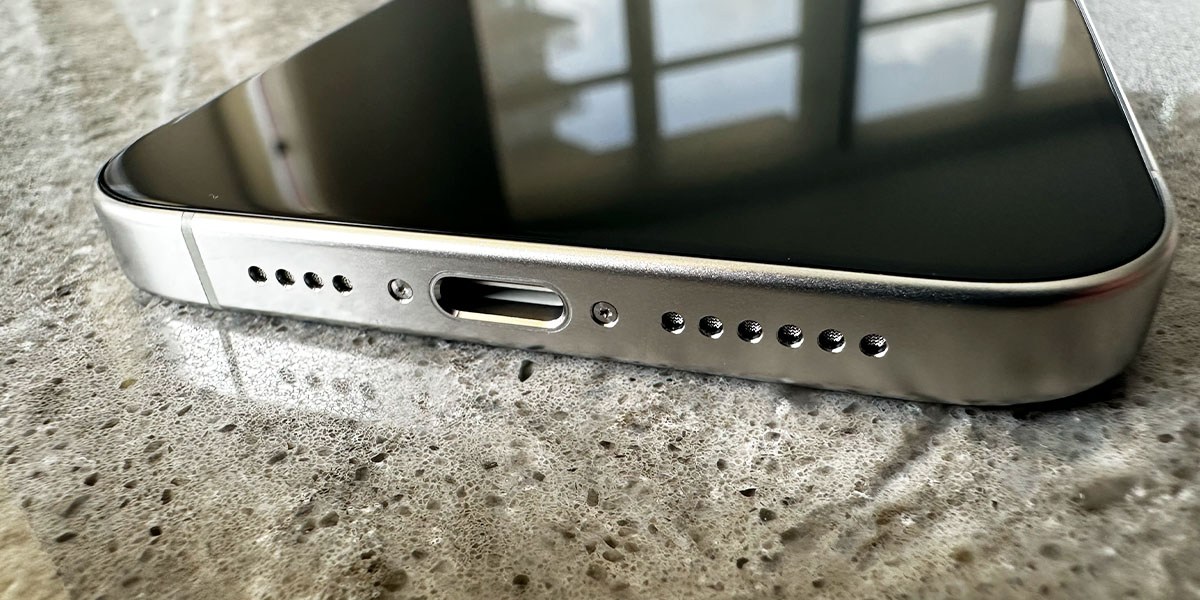
iPhones famously have only one port, which, since 2023, has been the ubiquitous standard USB-C. Previously, they used Apple’s proprietary Lightning port. The USB-C port can be used not only for charging, however, but also to connect to flash drives or adapters that use USB-C.
iPhones even more famously dropped the headphone jack in 2016. Headphones connect wirelessly over Bluetooth or via USB-C cable, either directly or with an adapter.
iPhone Pro models support USB 3 speeds with their USB-C ports, while non-Pro iPhones have ports that top out at USB 2 speeds.
Materials and durability
iPhones are made of glass or glass-like ceramic with a metal frame of aluminum, titanium or stainless steel. The glass or ceramic back is required for wireless charging and Apple’s MagSafe magnetic connection. Higher-end Pro models have used titanium or stainless steel, while regular and lower-cost models use aluminum.
iPhone glass is engineered to be shatter-resistant, but cracks and scratches still happen if you’re not careful. A case is highly encouraged, as is a screen protector if you’re concerned about cosmetic damage. The iPhone 17 family all use aluminum instead of titanium or stainless steel.
Expert TIp
If you’re an Apple Music subscriber, you can use your iPhone to enjoy music in Lossless Sound. Update your music quality settings in the Settings app and enjoy music as it was meant to be heard!
BestReviews Electronic Expert
Tips
- Clean your iPhone carefully. Use only a soft, lint-free cloth, like microfiber, to wipe your iPhone. A little water is the safest solvent to use, but diluted rubbing alcohol is also effective. Clorox disinfecting wipes are considered safe by Apple for use on your iPhone. Never use bleach or hydrogen peroxide to clean your iPhone.
- iPhones are water-resistant but not waterproof. Most iPhones offer IP68 water resistance, surviving 6 meters of water for up to 30 minutes, but don’t push it. Don’t deliberately immerse your iPhone in water, and don’t expose it to pressurized water like showers. Dry it thoroughly, including speakers and ports, if it does get wet.
- Lock your iPhone. Always use a passcode and either FaceID or TouchID to secure your iPhone. iPhones can store some of the most sensitive information about ourselves, so make sure thieves can’t easily access your data. A six-digit passcode is safer than a four-digit code.
How we analyzed
For this buying guide, we analyzed all iPhone models currently available from Apple at the time of writing, taking into account our experience with iPhone models from previous years. We consulted other professional reviews and buying guides and looked at user and buyer reviews for each of our model picks. We’ve also tested iPhone models in the BestReviews Testing Lab, noting display quality, camera quality, processor and gaming performance, build quality and design, software and battery life. We also reached out to our tech expert, Jamie Vasquez, for his insights and advice.
FAQ
Q. How much do iPhones cost?
A. iPhones cost between $599 and $1,199. Lower-cost iPhones are priced as low as $399, but more recent models start at $499. Standard regular iPhones cost between $599 and $799, while Pro models cost from $999 to $1199. Adding storage increases the price: A single fully-specced iPhone Pro Max model can cost $1,999.
Q. How do I fix a frozen iPhone?
A. A frozen iPhone is an iPhone where the touch display or buttons don’t work. The first thing to try is pressing the side or power button normally. If that doesn’t work, press and hold down the side button. If the iPhone still doesn’t respond, perform a forced restart. In iPhones that lack a physical Home button, this involves pressing the volume and side buttons in a specific order.
Q. Why is my iPhone battery draining so fast?
A. If your iPhone battery is draining too fast, you may have a runaway app that’s hogging resources it shouldn’t. Go to the Battery section of the Control Panel app and check App Usage. It should show you the apps that have used the most battery life and for how long. If an app is behaving abnormally, force-quit that app by going to the App Switcher screen and flicking the app’s screen away.
iPhones also use a lot of power searching for a cellular signal in areas where coverage is weak. A screen at full brightness, especially in direct sunlight, also uses a lot of battery power. Finally, iPhone batteries typically experience some power drain immediately after an iOS update, as the system does housekeeping behind the scenes.
Q. Will Face ID still unlock my iPhone when I’m wearing glasses?
A. Yes, FaceID will unlock your iPhone if you’re wearing glasses, even if you weren’t wearing them when taking your original FaceID scan. To make sure, you can add another FaceID scan with your glasses, or any other accessory, by using “Set Up an Alternate Appearance” in Settings > Face ID & Passcode. You can also set the iPhone to recognize your face when you’re wearing a filter mask.
Q. How do I activate Do Not Disturb on my iPhone when I’m driving?
A. You can turn on Do Not Disturb on the iPhone automatically using Apple’s Driving Focus mode in iOS 15 and later. Go to the Settings app and choose the Focus screen. Select “Driving,” and make sure the “Turn on Automatically” option is toggled on. You can also use your voice to tell Siri, “Siri, turn on Driving Focus.” iPhones can also switch to Driving Focus when they sense they’re connected to CarPlay.
Our expertise
Jmar Gambol has been writing for BestReviews since 2021. His expertise ranges from smartphones and tech, to cooking and coffee, to travel. He has used some kind of iPhone model since 2007.