Buying guide for best NAS devices
Ready to buy now? Shop the best:
Cloud storage is everywhere. Google, Apple, Microsoft and other tech titans all offer remote storage space tucked away across ever-multiplying data centers. But what if you don’t want to keep your files in the cloud? Maybe you don’t want to pay their fees, or you don’t trust their privacy policies, or you just want to access your data on your own with one fewer third party in the way. If that sounds like you, you may want an NAS device.
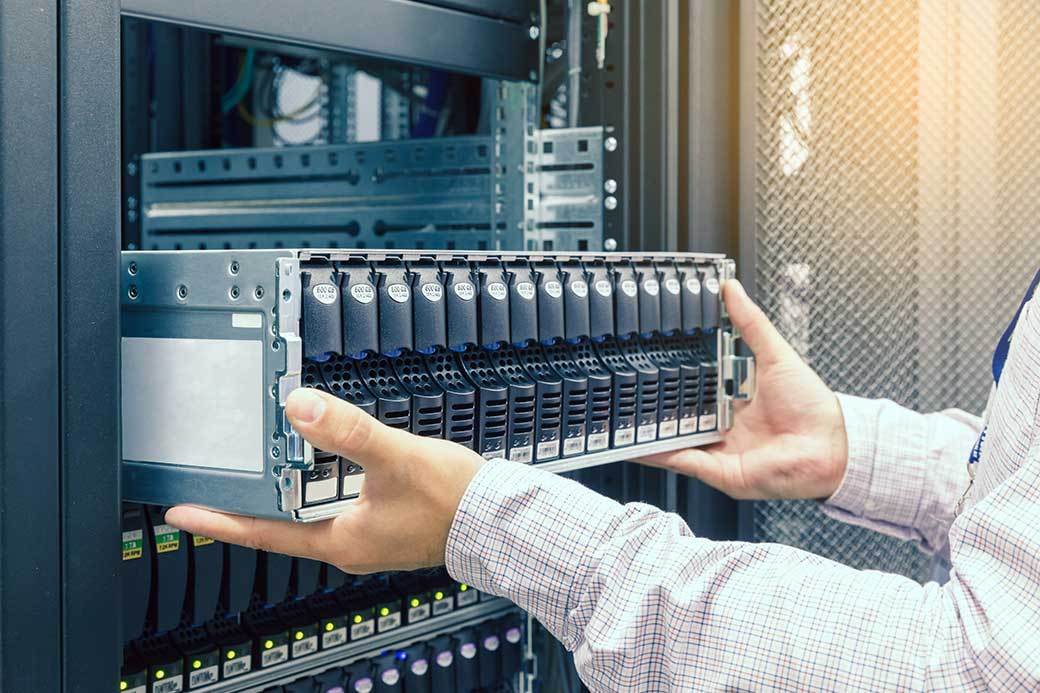
A network-attached storage or NAS device is basically a hard drive that’s hooked up to a network. It could be one hard drive, or 10. They could be disk-based, or SSDs. The network could be just your LAN while also being open over the Internet, with access controlled ultimately by you. It gives you the space, and convenience, to store thousands of files, including huge documents in the hundreds of gigabytes if you want, and access them remotely however you want.
We’ve collected options for the best NAS devices on the market. Whether you need a simple remote storage solution, a media server or a high-performance solution for a small business, we’ve got picks for you. Our top suggestion is the Synology 2-Bay DiskStation DS223j, which combines power features with convenient simplicity.
Key considerations
If you are getting a NAS device, it’s because you need storage space to house your most important files. For some, that means work files such as documents, spreadsheets, and data sets. Others are hoping to house their most precious family memories in the form of photos and videos. Regardless of your individual use of a NAS device, you want to be sure to get the right one. Consider these factors when researching the best NAS device for you, and you won’t go wrong.
Storage capacity
This will be the most important consideration when choosing your NAS device. What good is a data storage unit if it can’t hold all of your files? Most NAS devices range from a few gigabytes of storage space, all the way up to a massive 40TB. Assess your storage needs before choosing your unit.
Speed
Any device that will store massive amounts of data will have variations in functioning speed. There are a lot of differences in NAS device designs and processing, so do your research on the MB-per-second specs of each unit, remembering that they usually have separate speeds for writing and reading.
Footprint
Consider where you will be keeping your NAS device. Dimensions of some of the most popular NAS devices range from the size of a wireless router to that of a small printer. If you have a limited workspace, look for something that will cause less of a challenge.
User capacity
One of the biggest advantages of a NAS device is that it can be set up for multiple users to access from remote locations. This allows a team of people to store data even when they are not located in the same office. Check the specifications of each NAS device if you have specific user-quantity requirements. Some of the higher-end units allow up to 40 users on a single NAS device.
Features
Because NAS devices have a relatively straightforward utilitarian design, there aren’t multitudes of differences between them. That being said, some have a few special features that make them stand out from the rest of the pack.
Included internal hard drives
Some NAS devices come with internal hard drives that fit into the device’s storage bays for expanded storage as well as backups. Others merely have the open storage bays and the drives must be acquired separately. If you plan to handle backups in this manner, consider getting a NAS device with up to four storage bays to house more internal hard drives.
Mobile app access
Many NAS devices allow access from any remote location where you have internet access. Some now have their own mobile apps, giving you the ability to access your files in an efficient manner directly from your smartphone.
Did you know?
The first commercially available NAS software, Novell’s Netware server operating system and NCP protocol, was released in 1983.
STAFF
BestReviews
Automatic internal backup
This is an invaluable feature for those who want extra protection for their important data. Some NAS devices have a function that will run automatic data backups straight to a hard drive built into the NAS. Although it isn’t an absolute necessity, this feature is a nice addition that will give you extra confidence that your data is being protected on every level. However, as stated earlier, for even more peace of mind, it’s wise to back up the data on a NAS device to a separate remote location, such as a cloud server or external drive.
Online backup
As with any of your computers, automatic online backup is available for your NAS devices. These are generally subscription services that you pay for on a monthly or annual basis. The price is determined by the amount of data you will need to store. This backup feature is a must for anyone wanting to protect their valuable files housed on their NAS device.
"Microsoft didn’t enter the NAS development market until the mid to late eighties, well after other software and hardware companies had made their mark."
STAFF
BestReviews
Best NAS device prices
NAS devices in relative terms are not inexpensive. That being said, considering the important role they play in protecting your data, it’s well worth the cost. Furthermore, you still have a number of price options from which to choose, so shop around and decide which features you want to pay for and which you can do without.
Inexpensive: A dependable NAS device in the $100-$200 range is easy to find. The main differences between these units and those that cost more are storage capacity and processing speed. Many will find what they need in this price range, but if you’re looking for a NAS device with some more teeth, then move up in price.
Mid-range: Between $200 and $300, you will find an excellent assortment of high-capacity NAS devices with various levels of “extras.” Many NAS devices are priced at just under $300 in what appears to be fierce competition for consumer dollars. You can use this competition to your advantage and find an exceptional unit at a reasonable price.
Expensive: The NAS devices between $300 and $600 are the most powerful and high-capacity units available. Many of them will hold up to 40 terabytes of information, which is far more than most of us could ever produce. Most of these models will likely be used for business purposes.
Did you know?
In 2009, NAS vendors began to introduce online backup solutions integrated into their NAS appliances, for online disaster recovery.
STAFF
BestReviews
Tips
- Assess your remote needs. Some NAS devices are designed for people who need access to their files on the go. Others function more as a data holding cell, rarely accessed. Determine how you intend to use a NAS device before making a final decision.
- Backup preference. Some people like to have backups stored on external hard drives to be housed in a separate location. Others feel safe having the backups saved internally on a drive within their NAS device. Research backup options on the NAS devices you’re choosing from and pick the one that’s best for your needs.
- Measure first. Some NAS devices are bulkier than others and can take up a lot of space. If you have limited square footage for your electronics, make sure to measure the space you will be using and compare against the specs provided by the manufacturer. You wouldn’t want to get your NAS device home and realize you can’t accommodate its frame.
- Internet reliability. Internet connections are never perfect. But make sure you’re NAS is connected to a network that doesn’t give you constant difficulty. The last thing you need is to be thousands of miles from your NAS device and have no access when you need it most.
FAQ
Q. Is a NAS device the same as an external hard drive?
A. No. A NAS device is an internet-connected device that allows remote users to access data from other locations. An external hard drive simply stores information and may or may not have the ability for remote access.
Q. Is the price of NAS device directly related to storage space?
A. Generally, yes. Although this is not a hard and fast rule, you will usually need to spend more in order to get more storage.
Q. Is a NAS device easy to set up?
A. Yes. If you are generally adept at using electronic equipment, hooking up a NAS device is relatively straightforward. Once you’ve connected it, choosing the options for how you would like to utilize its functions will take a little more time.
Q. Will my NAS device be obsolete shortly after I get it?
A. As with any electronic and computing device, new technology is under constant development. Nevertheless, your NAS device should continue to offer you the storage you need for as long as you wish to use it.
Our expertise
Jmar Gambol is a writer and product tester for BestReviews who specializes in all things tech. He has written almost 200 articles and buying guides, as well as tested products such as laptops, Apple Watches, robot vacuums and smartphones.
Kyle Schurman covers a wide range of tech-related products, from laptops to smartphones to TVs, as a writer for BestReviews. He loves helping consumers find products that make their lives easier.