We recommend these products based on an intensive research process that's designed to cut through the noise and find the top products in this space. Guided by experts, we spend hours looking into the factors that matter, to bring you these selections.
Ready to buy now? Shop the best:
Every year, new tablets arrive on the market, getting bigger, faster and more powerful. But the best tablets aren’t necessarily the ones with the most powerful specs or biggest sizes. Instead, the best tablets are the ones that are the best at the jobs they’re intended for, whether that’s high-end movie production or everyday couch browsing.
The BestReviews Testing Lab recently examined several tablets at different price points, from low-cost, kid-friendly models to high-end, high-priced powerhouses. The tablet testing team, myself included, looked at each tablet’s setup, display, OS, processor, performance and battery life, as well as noting any rough edges or drawbacks we encountered.
Our top pick overall is the versatile Apple iPad Air 11-inch (M4). Still, different people need different things from their tablets, and we’re confident something on our short list will be right for you.
Editors’ Favorite
Operating system: iPadOS | Screen Type: Liquid Retina | Screen Size: 2360 x 1640 pixels | Dimensions & Weight: 9.75” x 7.03” x 0.24”, 1.02 lb | Storage: 128GB| Battery Life: 24 hr
This 11-inch iPad Air with M4 chip is one of the most versatile tablets and an excellent choice for students, professionals and casual users. Whether you want to stream your favorite content, surf the web or work on documents, this tablet makes it easy, thanks to its advanced M4 chip.
With a 24-hour battery life, you can stream, play games and work without worrying about having to charge the tablet too often. Its Liquid Retina display delivers rich visuals with vibrant colors, and its built-in Wi-Fi 7 provides stable wireless internet connectivity. Apple Intelligence makes navigation, app performance and the overall user experience smoother, and the updated 12 MP front camera is excellent for conference calls.
Equipped with an advanced chipset and all-day battery life, the iPad Air with M4 is the best option for those who want a lightweight yet powerful tablet. It’s available in four colors, including blue, purple, space gray and starlight, and it features Touch ID biometric security to keep your tablet safe from unauthorized use.
Best for Everyday Use
Operating system: iPadOS | Screen Type: LCD | Screen Size: 2360 x 1640 pixels | Dimensions & Weight: 9.79” L x 7.07” W x 0.28” D, 1.05 lb | Storage: 128 GB | Battery Life: 10 hr
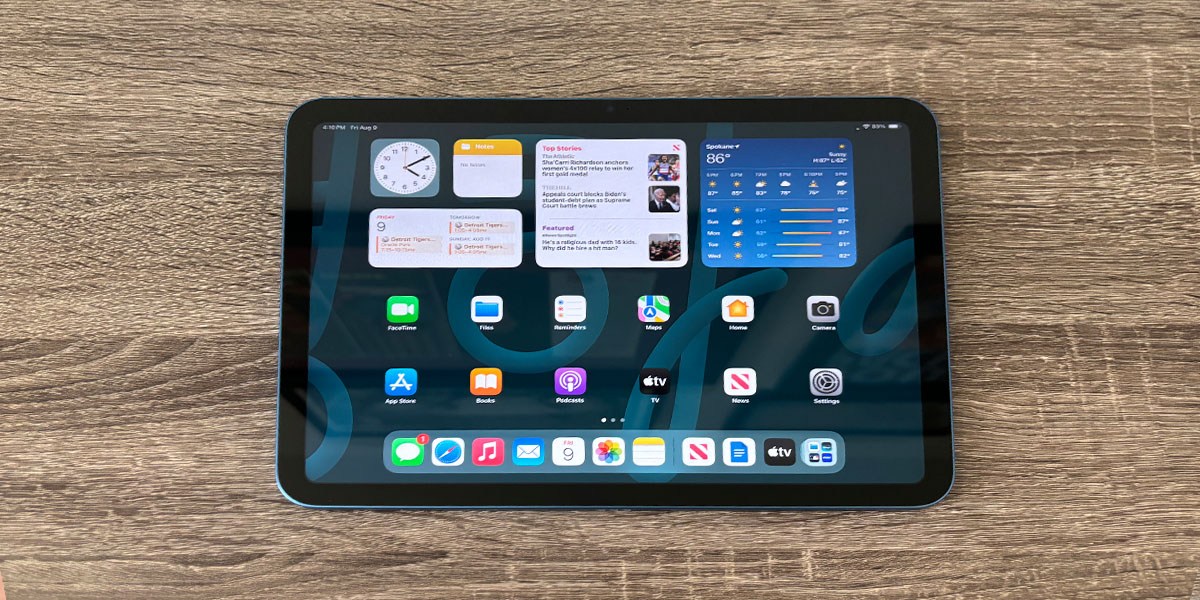
It works fine, so make it faster. That should be the motto of the 11th-generation iPad, now known as the iPad (A16). Its updated internals make it a better value than ever before, providing excellent everyday performance at an approachable price.
The new naming scheme of this 11th-generation iPad showcases its biggest upgrade, the A16 Bionic processor. Found in the iPhone 14 Pro and iPhone 15, this chip is around 20% faster than that of the 10th-gen iPad, and increases RAM from 4GB to 6GB. The new processor makes the iPad (A16) nimbler and more responsive than its predecessor in everyday tasks from web browsing to casual gaming.
The iPad's solid aluminum case remains the same, available in four bright colors. Its 500-nit LCD screen is sharp and vivid, but lacks the antireflective coating of other iPads. The front camera has moved to landscape orientation for better video chatting. And though it’s compatible with the original Apple Pencil and the Apple Pencil (USB-C), it’s not with the Apple Pencil 2 or Pro. It's the one iPad that can't run Apple Intelligence, but it can access ChatGPT or Copilot just fine.
Budget-friendly tablet
Operating system: FireOS | Screen Type: LCD | Screen Size: 1920 x 1200 pixels | Dimensions & Weight: 9.69” L x 6.49” W x 0.34” D, 0.95 lb | Storage: 32 or 64GB plus microSD slot | Battery Life: 13 hr
The Amazon Fire 10 HD occupies a sweet spot in the retail giant’s tablet lineup, offering a screen that is spacious enough for enjoyment while retaining the affordability and approachability that the Fire line offers. It’s a solid midsize device for an entertainment-focused tablet.
The Fire 10 HD runs on an eight-core ARM processor clocked at 2.0 GHz. While it only comes with 3GB of memory, our tester experienced no lags or buffering, with webpages loading quickly and video streaming without incident.
The 10-inch, 1080p (FHD) screen was bright and vibrant with bright whites and deep blacks during our testing.
Battery life expectancy is 13 hours, and it lasted over a week on a single charge when used for a couple of hours a day in our testing period. Our tester appreciated its size and form factor above all, noting that it was perfect for use as an e-reader or for watching videos.
We also note that it still comes with a physical headphone jack. Overall, the Fire 10 HD is a good low-cost tablet for reading, viewing and browsing, earning it a score of 3.5 out of 5.
Best Tablet for Kids
Operating system: Fire OS | Screen Type: IPS | Screen Size: 1280 x 800 pixels | Dimensions & Weight: 7.95” x 5.41” x 0.37”, 11.8 oz. | Storage: 32GB| Battery Life: 13 hr
Instead of giving your child your smartphone or tablet to play with when they’re bored, consider getting them the Amazon Fire HD 8 Kids Pro Tablet. It’s designed specifically with kids in mind, and offers a robust, durable build that protects the hardware from accidental drops.
Fire OS is a user-friendly interface that’s easy for kids to navigate and offers access to thousands of entertainment and educational apps. Parental controls are easy to set up, and although it features 32GB of built-in storage, you can expand it up to 1TB with a memory card. Kids can make voice or video calls to other Alexa-enabled devices and approved contacts over Wi-Fi, and the included case with kickstand makes streaming and gaming on a tabletop more convenient.
Although it’s not as powerful as other tablets, it’s an excellent choice for children ages 6 to 12. Its battery life is impressive at 13 hours, and you’ll get a free six-month subscription to Amazon Kids+, where kids can access age-appropriate books, videos, apps and games.
Best Small iPad
Operating system: iPadOS | Screen Type: LCD | Screen Size: 2266 x 1488 pixels | Dimensions & Weight: 7.69” L x 5.3” W x 0.25” D, 10.4 oz | Storage: 128 GB| Battery Life: 10 hr
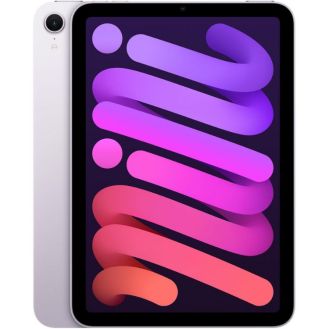
Updated in late 2024, the iPad mini (A17 Pro) is the seventh generation of Apple's smallest iPad. With its new A17 Pro processor, the iPad mini packs enough power to speed through productivity, games and videos, and is capable enough to run Apple Intelligence features as well.
The iPad mini features an 8.3-inch LCD screen with a top brightness of 500 nits and a pixel density of 326 ppi, meaning images are smaller but sharper. This screen has the same wide color gamut, lack of lamination and added antireflective coating of the iPad Air family, making it fantastic for note-taking or sketching with the Apple Pencil 2, Pro or USB-C.
The iPad mini's A17 Pro processor, introduced in the iPhone 15 Pro, is faster than the A16 used in the iPad (A16), making the iPad mini a little powerhouse. In portability and convenience, the iPad mini is top among iPads, although its smaller screen can make some text hard to read.
Best Big-Screen Tablet
Operating system: iPadOS | Screen Type: Liquid Retina | Screen Size: 2732 x 2048 pixels | Dimensions & Weight: 11.04” x 8.46” x 0.24”, 1.36 lb | Storage: 256GB | Battery Life: 24 hr
The great thing about tablets is that they’re designed for on-the-go use, even with a big screen like the 13-inch iPad Air with the M4 chip. This tablet has a screen size comparable to some compact laptops, but boasts impressive processing power, making it one of the best tablets for working, gaming or streaming while traveling.
The Liquid Retina display delivers rich visuals and colors, and 256GB of internal storage provides plenty of room for apps, photos, videos and documents. Touch ID keeps your tablet safe, and advanced cameras make every photo, video and video call look crystal clear. Apple Intelligence helps you get more done faster, and Wi-Fi 7 provides stable internet connections so you can work interruption-free.
Those looking for a big-screen tablet will find plenty ot love about this 13-inch iPad Air with M4. It’s not as robust as some of the more expensive iPads, but for most users, it’s more than enough for casual gaming, streaming, photography and document creation.
Best for Professionals
Operating system: iPadOS | Screen Type: Ultra Retina XDR | Screen Size: 2752 x 2064 pixels | Dimensions & Weight: 8.48” x 11.09” x 0.2”, 1.28 lb | Storage: 256GB | Battery Life: 10 hr
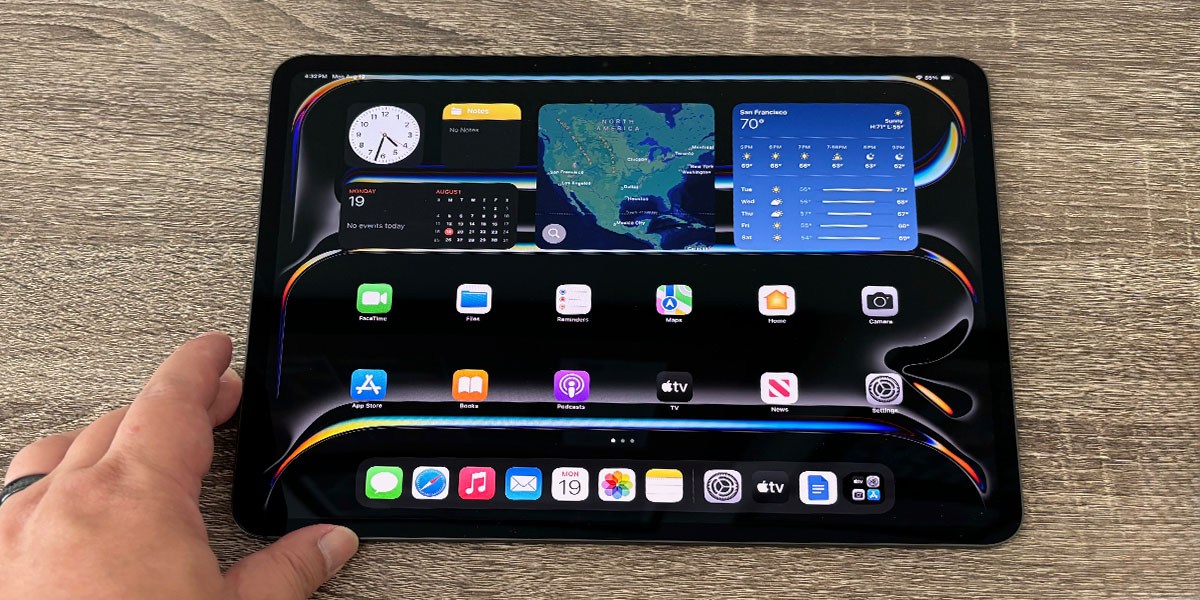
Professionals who want more processing power from their tablet should look no further than the Apple iPad Pro with the M5 chip. The most advanced Apple tablet processor yet, the M5 chip delivers ultra-fast performance whether you’re gaming, streaming or multitasking with power-intensive apps.
The Ultra Retina XDR display is an upgraded version of the classic Liquid Retina display and, combined with a high HD resolution, makes this iPad the best choice for those who want to stream HD content. The advanced camera system allows you to capture detailed photos and video at a distance, and the battery can quickly charge to 50% in just 30 minutes, making it excellent for on-the-go use.
Battery life isn’t as long as with other iPad models, but everything else you get makes the trade-off worth it, especially if you’re a power user or professional. It’s easy to use, features neural accelerators for improved performance, and has a surprisingly thin, lightweight design for portability.
Best Android Tablet for Most People
Operating system: Android | Screen Type: LCD | Screen Size: 2304 x 1440 pixels | Dimensions & Weight: 10.01" x 6.53" x 0.24", 1.15 lb | Storage: 128GB | Battery Life: 20 hr
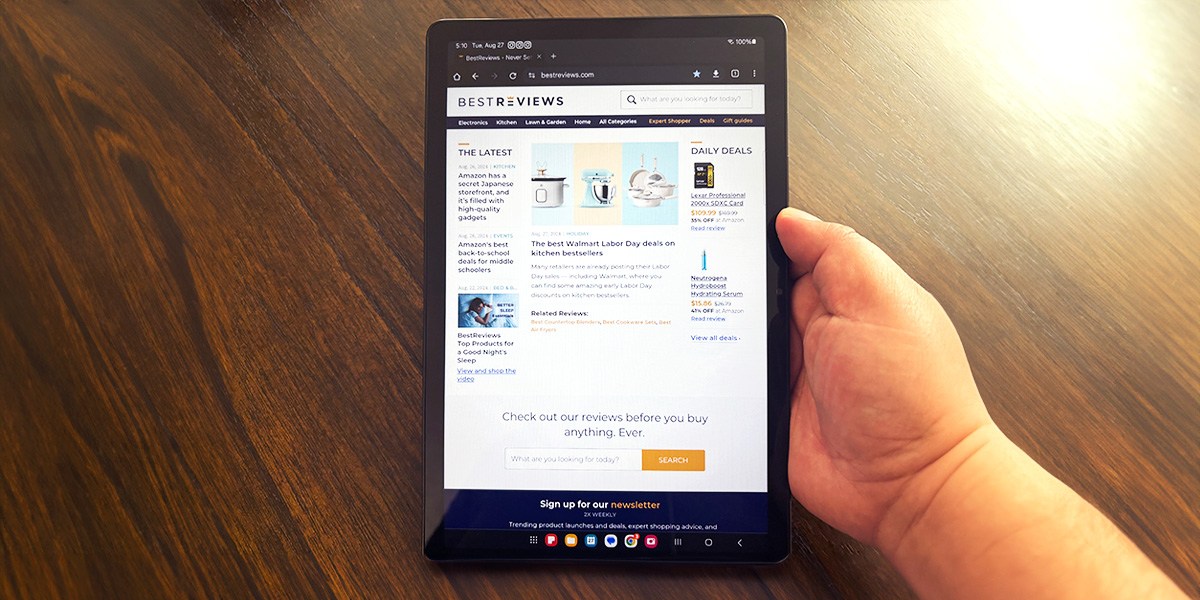
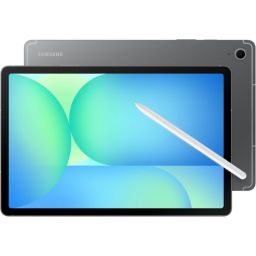
If you want a straightforward tablet with an easy-to-use interface for casual web surfing and streaming, the Samsung Galaxy Tab S10 FE is one of the best options. It has a crisp 10.9-inch HD display and a lightweight build, making it ideal for watching your favorite movies or TV shows on the go.
It supports a 90-hertz refresh rate for ultra-smooth gaming or document scrolling, and features Circle-to-Search with Google, which lets you circle anything on your screen to get instant information from Google's search engine.
Its water-resistant build allows it to withstand water droplets and light splashes, and it offers up to 20 hours of battery life with moderate use. Plus, this tablet comes with an S Pen stylus that makes tasks such as taking notes, sketching and gaming easier.
Although it’s not as robust as some of Apple’s flagship tablets, it’s undoubtedly one of the best Android tablets. You’ll be able to download and use third-party apps, giving you more versatility in what you can do, and you can multitask more easily thanks to plenty of memory and a powerful processor.
Best Samsung Tablet
Operating system: Android | Screen Type: Dynamic AMOLED 2X display | Screen Size: 2560 x 1600 pixels | Dimensions & Weight: 9.99" x 6.51" x 0.22", 1.06 lb | Storage: 128GB | Battery Life: 18 hr
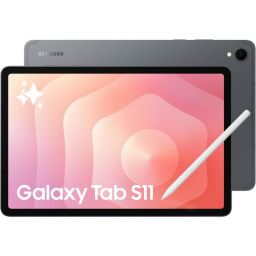
Those who want a powerful Android tablet should look no further than the Samsung Galaxy Tab S11. Powered by a MediaTek Dimensity 9400+ processor, the Samsung Galaxy Tab S11 offers outstanding performance whether you're streaming, video editing or gaming.
The Dynamic AMOLED 2X display is one of the best on any tablet, and its high resolution makes this tablet ideal for streaming HD TV shows, movies or live TV. Galaxy AI acts as your personal assistant, helping you complete tasks, such as writing, summarizing and drawing, much faster and boost productivity.
Powerful yet lightweight with a bright display, the Samsung Galaxy Tab S11 is one of the best Android tablets for working, streaming or gaming. The included S Pen makes it easier to use compatible apps, and the battery lasts up to 18 hours, which is impressive given its powerful processor.
Best for Content Consumption
Operating system: Android | Screen Type: LCD | Screen Size: 3392 x 2400 pixels | Dimensions & Weight: 11.4" x 7.67" x 0.25", 2.97 lb | Storage: 256GB | Battery Life: 17 hr
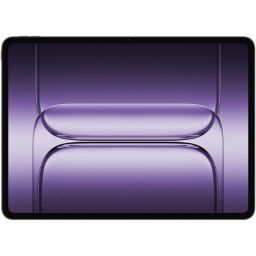
The OnePlus Pad 3 is one of the more robust tablets on the market, making it among the best options for power users seeking durability and reliability. With a high-resolution 3.4K LCD screen and a 144-hertz refresh rate, this tablet is designed for streaming, gaming and productivity.
Its Snapdragon 8 Elite chipset, combined with 12GB of memory, makes this a must-have laptop for users who frequently run several power-intensive applications. For a tablet, you’ll be impressed by its audio quality, delivered by an eight-speaker stereo system that produces rich sound. Customers appreciate its long-lasting battery life, which can last up to 17 hours even with heavy usage, making it one of the best tablets for working or gaming while traveling.
It’s a heavier tablet than most of our other top picks, but those who want more power and elite performance won’t be disappointed. It charges quickly, and its high-resolution display, combined with high-quality speakers, alone make it worth your consideration, especially if your priority is streaming content.

In building this buying guide, we relied primarily on our own hands-on experience with the models we’ve picked, putting them through a series of tests to establish their effectiveness in real-world usage.
A tablet is basically all display. It’s what you look at and what you interact with, so a great display goes a long way to making a great tablet.

Tablet displays are typically either LCD or OLED screens. LCD screens have come a long way from their beginnings, with the best ones, such as the LED-backlit “Liquid Retina” displays on Apple’s iPad and iPad Air, offering outstandingly sharp and vivid images. OLED screens, however, are widely recognized as the best you can get, with each pixel being individually illuminated for true blacks, infinite contrast, accurate color and fast response times. OLEDs are more expensive, though, and the difference, while real, may not be significant enough for average users.
Screen size can be a tradeoff when it comes to tablets. A bigger screen lets you sink into whatever you’re looking at, especially movies, TV shows or games. It also gives you more space to work with for productivity or creativity. But a bigger screen means a bigger tablet, which can be more difficult to hold up. Small tablets are easy to hold and are ideal for reading in bed, and can slip into a bag or backpack but can be less optimal for productivity.
Resolution refers to the number of pixels on a given screen. Pixel density (in ppi or pixels per inch) indicates a screen's resolution, and as a rule of thumb, the higher the resolution, the sharper the images. Note that it’s possible to have a small screen with high resolution, and vice versa.
Most tablets run one of four operating systems. Apple iPads run iPadOS, Microsoft Surface tablets run Windows and almost every other tablet runs either ChromeOS or a variety of Android, often with special user interfaces that differ by brand.
iPadOS is the operating system used by Apple’s iPads. It was spun off of iOS, Apple’s mobile operating system for iPhones, in 2019 to include features and optimizations for the bigger screens and hardware on iPads. Most notably, iPadOS supports multitasking, including multiple windows on iPad models with the right hardware. iPadOS is known for its smooth operation, consistent interface and wide variety of apps.
Google’s Android, the world’s most popular mobile operating system, offers more customization and freedom than iPadOS. Many brands offer customized user interfaces or skins on top of Android to differentiate their products. Samsung tablets use OneUI on top of Android and have special features that work only with other Samsung devices.
Windows on tablets is found on Microsoft’s own Surface tablet PCs and on convertible devices. When Surface tablets were first introduced, they used a special version of Windows called Windows RT, but Windows tablets now run the same Windows 10 or 11 as other PCs do. However, some desktop or laptop Windows applications may not work with Windows in tablet mode.
ChromeOS, also from Google and based on its Chrome browser, can be found as the OS of many two-in-one convertible Chromebooks.
A tablet, like other computing devices, relies on its processor, memory and storage to perform. The faster the processor, the more memory, and the more storage, the more powerful the tablet.

In general, the faster the processor, the better the experience. A fast processor doesn’t just make video and games enjoyable but also app opening, scrolling, photography and even typing smooth and enjoyable, while a slow processor can make just swiping through your app library a pain. You can tell a fast processor by its clock rate (in GHz), number of cores (four to eight is typical) and any discrete graphics cores (typically present).
The fastest tablet processors are Apple’s M-series and A-series chips and Qualcomm’s Snapdragon processors. Other processors include Samsung’s Exynos chips and processors from MediaTek. Microsoft Surface tablets use Intel chips.
Memory lets more apps stay open at once and allows for more complex apps to run, like drawing and painting software, photo and video editing apps, and intensive games. We’d say 8GB of memory is a good amount for a tablet to perform well. Most tablets have their memory integrated with their processors and can’t be upgraded.
A tablet needs storage for its apps and documents, even if you keep your documents in the cloud and stream music or video. The more storage you have, the more apps you can download, and when you don’t have a fast internet connection, you can rely on documents, videos and music stored on your tablet. Consider 32GB as a minimum for tablet storage. Many Android tablets let you use a MicroSD card to expand your storage beyond what’s built-in, while Apple iPads don’t.
Tablets connect to the Internet for setup, web browsing, streaming, installing apps and downloading books and other content. They also need to connect to accessories either wirelessly or via ports.
All tablets should have Wi-Fi. This lets you use them anywhere in your home or office, and anywhere there’s an accessible Wi-Fi network. A good tablet should be able to connect to both 2.4 GHz and 5 GHz Wi-Fi channels, and the best tablets support Wi-Fi 6 or later for the fastest and most efficient connections.
A tablet with a cellular radio lets you connect to the Internet even when there’s no Wi-Fi network around. Most tablets with cellular connectivity support 4G, 4G LTE and even 5G speeds, but you have to pay extra for a data plan. Using the cellular connection also uses up more battery power; battery life can shorten by an hour in general on cellular versus Wi-Fi.
Bluetooth lets tablets connect wirelessly to other electronics and accessories. Bluetooth can help a tablet connect to a game controller, a mouse or an external keyboard, or interface with a TV, headphones or wireless speakers. Look for tablets that support Bluetooth 5.0 and later for the best performance.
Tablets don’t have as many ports as laptops do. Apple iPads are notorious for having a single port, although their current USB-C ports can connect to a wider variety of devices and docks than their old Lightning ports. Android and Windows tablets may have one or two USB-C ports, while older devices may have micro-USB ports for charging. Non-Apple tablets also usually have a slot for MicroSD cards that act as expanded storage. It’s rare to find a tablet with a headphone jack, although some still do, such as the Amazon Fire 10 HD.
Tablets use cameras for video calls as well as taking photos and videos, so you need a tablet that can make you look your best.
Tablets generally come with both a front-facing and rear-facing camera. The rear camera is used like those on smartphones to take photos or shoot video, while the front camera is used like those on laptops for taking video of yourself or holding a video chat or Zoom call.
There are a lot of factors that go into camera quality, like sensor size, focal length and computational processing, but a quick way to determine quality is to look at the megapixels a camera can take. A minimum to consider would be 4 MP for the front camera and 8 MP for the rear.
Speakers on tablets range from the minimal to the impressive, especially considering the restrictions of thinness. Some top tablets offer four or more speakers arranged around the edge of the display for three-dimensional or surround audio effects.
Tablets made for kids usually have brighter colors, more rounded corners and edges, and are made of lower-cost, more durable components. Some models are not much more than glorified toys, however, and are best suited for small children. Older kids would probably be better off with a lower-cost tablet that offers full functionality (with parental controls).
A good stylus allows you to draw, paint, sketch, handwrite and interact with tablet apps more precisely than you can with your fingers. Some tablets, notably Samsung’s Galaxy Tab S-series, come with a stylus, while others, such as the Apple iPad or many Microsoft Surface tablets, need to have a stylus purchased separately.
A physical keyboard is a huge improvement over the on-screen keyboard of any tablet. If you want to do any serious productivity on your tablet, you should look for a physical keyboard to go with it. Some tablets have cases that integrate keyboards, but all tablets with Bluetooth should be able to connect to any wireless keyboard, and keyboards with USB-C cables can also be plugged into tablets with a USB-C port.
Tablets used to focus literally on one app at a time, and most of them still do. They can have multiple apps active at once, but you can interact with only the one taking up the screen. Multitasking in tablets lets you interact with multiple apps at the same time.
We've found that tablets with dedicated multiple-window modes, like Samsung’s DeX or Apple’s Stage Manager, are better at productivity, such as writing documents while researching in a browser and viewing a video, than doing the same activities in apps that occupy the whole screen. An external keyboard and pointing device like a mouse or trackpad also greatly help with multitasking and can turn a powerful tablet into a laptop replacement.

A. The best tablets offer around 10 hours on a single charge. How long you can use the tablet before needing to recharge depends on what you’re doing. In standby mode, most tablets can last a few days. Streaming content runs the battery down fairly quickly. Multitasking for work is likely to draw the most energy.
A. In the early days of tablets, screens were prone to scratches, which made screen protectors vital. Since then, the glass used in tablet screens has gotten stronger and more scratch-resistant, although it's definitely not scratch-proof.
With some basic precautions and the right case, your screen will likely only face minimal scratches. If you’ll be frequently traveling with your tablet, though, you may want to invest in some extra protection.
A. Tablets can be great for sending messages, but it depends on the type of message. Standard text messages (SMS) typically require a cellular data connection, which most tablets don't have. However, many popular messaging apps like WhatsApp and Apple Messages send messages over the internet (like Wi-Fi) and work perfectly on tablets. So, you can chat with friends and family through these apps on your tablet, but sending traditional SMS messages might be limited.
Jmar Gambol has been writing for BestReviews since 2021. He personally tested six tablets for this buying guide and uses a tablet in daily life, mostly as a secondary device. His first tablet was either the original iPad, the HP PalmPilot or, depending on your definition, the Fisher-Price Speak ‘n’ Spell.
Tech reporter Charlie Fripp also contributed reporting to this story. He has focused on reviewing all kinds of tablets, from the smallest to the fastest and the most secure. He’s held, poked, prodded, touched and pushed buttons on tablets and mobile phones for the last 20 years and has pretty much seen it all.