Menu
 

BestReviews is reader-supported and may earn an affiliate commission. Details

Best Dash Cams

Updated April 2026
BEST OF THE BEST
Rove R2-4K Dash Cam
BEST OF THE BEST
Rove
R2-4K Dash Cam
Epic Discount
This camera from Rove captures your whole commute in stunning 4K, making it a great option for professional footage and car security.
Check Price Check Price

Pros and Cons

PROS
  • Its 4K recording is levels above your standard car cam.
  • The built-in WiFi connects to your phone for up-to-date information and uploads.
  • GPS capability is a bonus.
  • Boasts slow-motion, time-lapse, emergency video, loops, and several other shooting options.
CONS
  • Great for professional use, not so much for driving assistance.
BEST BANG FOR THE BUCK
TRAPO i-Sight S550 Dash Cam Front and Rear
BEST BANG FOR THE BUCK
TRAPO
i-Sight S550 Dash Cam Front and Rear
Excellent Value
This 4K dash cam will give you peace of mind, knowing that it will capture high-quality video no matter the situation.
Check Price Check Price

Pros and Cons

PROS
  • It records 4K, Ultra HD video with front and rear cameras, as well as optional cabin recording.
  • It has a 120-degree field of view and built-in GPS tracking.
  • WiFi connectivity makes it easy to download footage to your phone.
  • Users say the cameras are simple to install.
CONS
  • There are some complaints about it not accepting SD cards due to formatting issues.
REDTIGER F7NP Dash Cam
REDTIGER
F7NP Dash Cam
Trusted Brand
This camera comes equipped with night vision, a 170-degree viewing angle, a GPS, and more to make it one of the top-selling options on the market.
Check Price Check Price

Pros and Cons

PROS
  • It can be connected via an app to allow you to monitor location and edit any recording captured to make sure you only show what you need to.
  • The night vision has fairly clear visuals even on the darkest of nights.
  • It can be set up to monitor even when the car is parked.
CONS
  • The included suction cup may not hold for very long.
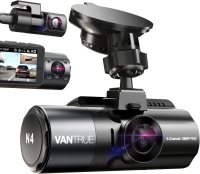
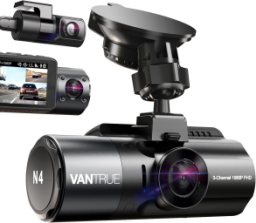
Vantrue N4 3 Channel 4K Dash Cam
Vantrue
N4 3 Channel 4K Dash Cam
Best for Everyday Use
Excellent video quality, night vision capture, and super stable images made this a standout during trials.
Check Price Check Price

Pros and Cons

PROS
  • A simple setup makes it a great choice for beginners.
  • We really loved how stable the video quality was, even over bumpier roads.
  • Has a lot of different settings that allow for quite a bit of customization, including image quality and motion detection.
CONS
  • We really wish it came with a different adhesive for window attachment.
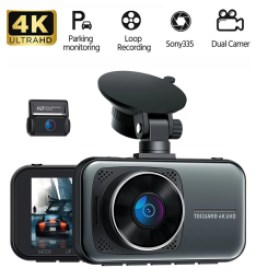
Toguard 4K Dash Cam
Toguard
4K Dash Cam
Bargain Pick
Keep an eye on the action from your vehicle with this front and rear dual dash camera from Toguard.
Check Price Check Price

Pros and Cons

PROS
  • The forward-facing camera captures 4K video and the rear-facing camera records 1080p video so that you can see details clearly.
  • The camera has a motion sensor, and it will start recording automatically if the car is shaken or impacted.
CONS
  • Buyers criticize the software of this model.
  • Accessing functions using the menus is frustrating.
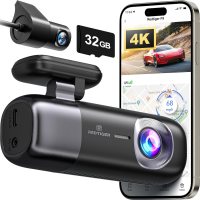
REDTIGER F9 Dash Cam
REDTIGER
F9 Dash Cam
Simple Yet Reliable
A reliable budget dashcam set that includes a 32GB SD card.
Check Price Check Price

Pros and Cons

PROS
  • This display-free dashcam kit minimizes visual clutter and records with its 4K front camera and 1080p rear camera.
  • The 170-degree field of view captures most action in front of your vehicle at 30 fps, and the time-lapse mode records 1 fps while your car is parked.
CONS
  • You have to wirelessly connect the cameras to your phone every time you get in your car to make use of the app.
VIOFO A229 Plus Dash Cam
VIOFO
A229 Plus Dash Cam
Easy to Use and Install
This front-and-rear dash cam has two image sensors, allowing it to capture clear, detailed videos on the road.
Check Price Check Price

Pros and Cons

PROS
  • It offers 2K front and rear recording capabilities with 1440p resolution.
  • It supports 12 voice commands for safe, hands-free use.
  • It features built-in GPS that supports four satellite positioning systems.
  • It has three parking mode options, including auto event detection that automatically starts recording and saves video from 15 seconds before and 30 seconds after the event.
CONS
  • Its angle can't be adjusted laterally once installed, so you must ensure the positioning is correct.
Rove R3
Rove
R3
Feature-Rich
A long-lasting dash cam kit backed by responsive customer service.
Check Price Check Price

Pros and Cons

PROS
  • This comprehensive dash cam kit includes a 1440p front camera, as well as a rear camera and cabin camera.
  • Includes GPS as well as 5G and WiFi connectivity.
  • Infrared camera captures night vision footage with no visible light to outsiders.
CONS
  • No memory card included.
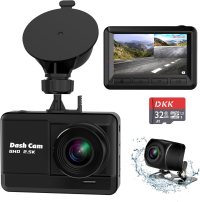
DKK Dash Cam Front and Rear
DKK
Dash Cam Front and Rear
Simple Functionality
This affordable kit includes two cameras and an IPS display.
Check Price Check Price

Pros and Cons

PROS
  • A simple dash cam kit with straightforward installation and everything you need to start recording, including a 32GB SD card.
  • The front camera records 2.5K video and has a 170-degree field of view.
  • Includes adhesive or suction cup mounting.
CONS
  • No wireless connectivity or cloud backups.
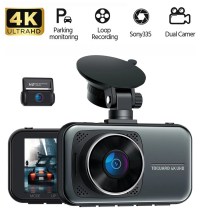
Ovaman K600 4k Dash Cam Front and Rear
Ovaman
K600 4K Dash Cam Front and Rear
Great Video Quality
A robust pair of cameras that includes a 32GB memory card and a clear display.
Check Price Check Price

Pros and Cons

PROS
  • Customers appreciate the 4K-resolution, 30-fps video of the front camera and the wide-angle lens.
  • Night vision is reliable, as are 5G connectivity and GPS, which together track speed and location.
  • The display and app are both reliable ways to review footage.
CONS
  • The rear camera captures poor night vision footage.
Header Image
Why trust BestReviews?
BestReviews spends thousands of hours researching, analyzing, and testing products to recommend the best picks for most consumers. We only make money if you purchase a product through our links, and all opinions about the products are our own. About BestReviews  
BestReviews spends thousands of hours researching, analyzing, and testing products to recommend the best picks for most consumers. We buy all products with our own funds, and we never accept free products from manufacturers.About BestReviews 
How We Tested

We recommend these products based on an intensive research process that's designed to cut through the noise and find the top products in this space. Guided by experts, we spend hours looking into the factors that matter, to bring you these selections.

First Reviewed
November 30, 2021
30
Models
considered
22
Hours
researched
Category cover

Buying guide for best dash cams

Ade Hennis
Written by Ade Hennis

Updated April 2026

Ready to buy now? Shop the best: 

Did you know that an officer may demand to view the footage from your dash cam to help determine which driver was responsible in the event of an accident? Having a dash cam is a good way to be sure you stay on your best, safest behavior whenever you are behind the wheel. But to be effective, you need a quality dash cam.

A multi-lens camera in the front combined with a remote camera in the back will give you the best coverage. Having an HD camera with great low-light capabilities and a GPS chip inside is highly recommended. For any parking concerns, a motion or impact activated camera is needed.

You can purchase one of the options we've short-listed as the best if you're ready to buy now. However, if you'd like a little more information and some tips on what are the most needed features for your particular situation, keep reading.

The most common reason for purchasing a dash cam is to provide evidence for insurance claims. Your dash cam could help you or a nearby motorist during a hit and run incident, for example.

Types of dash cams

To find the right type of dash cam for your car, it helps to understand the design options. Different designs work better in different circumstances.

Multiple-lens dash cams

Multiple-lens cameras record in front of the car with one lens and inside the car with another. The lenses record at the same time, giving you two points of view.

Rearview mirror-mounted dash cams

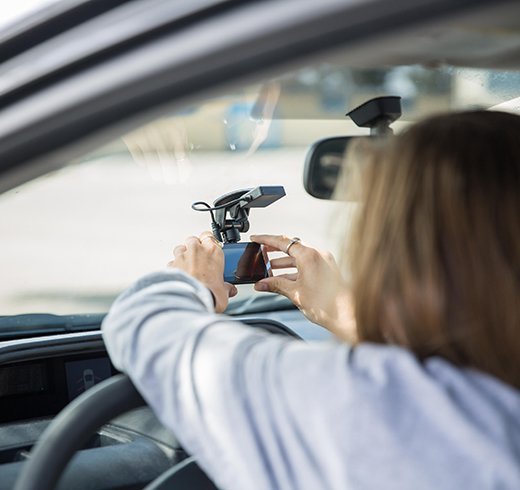
Some small dash cams attach to the rearview mirror. If you live in a state where windshield mounts are illegal, a rearview mirror mount is a great alternative.

Windshield-mounted dash cams

Most dash cams mount to a car’s windshield using a suction cup and bracket. Windshield-mounted cameras can partially block your view of the surrounding area, though.

Single-lens dash cams

A single-lens dash cam works like a traditional camcorder. You mount the single-lens camera to the windshield or mirror, and it records the action in front of the vehicle. If you want a single-lens dash cam, pick one with a wide viewing angle.

Dash cam features

After you’ve selected a type of dash cam, consider the features you want. Popular features like HD video and low-light recording make the difference between crisp, clear video and fuzzy footage.

Battery options

Most dash cams will connect to a 12-volt outlet in the car. However, some dash cam models must be connected to the car battery directly. This ensures the dash cam has the power to run at all times.

GPS

A dash cam with a GPS chip inside marks the video with the time, date, and location of the recording. If you plan to use the video to prove innocence for a traffic ticket or an accident, you will need time and location stamps.

HD video

With dash cam video, you want a high-resolution image that will be sharp. Otherwise, your dash cam may not show the exact details you need to produce evidence after an accident. Look for a dash cam that offers 1080p full HD video-recording capabilities.

Motion or impact detection

If you want to use your dash cam as a security camera inside the car when parked, a motion or impact detector is a great feature. The video camera only starts recording when it detects motion or impact. This means you won’t have hours of uneventful video to watch when reviewing the stored footage later.

Low-light recording

Some dash cams create poor video recordings at night, which is undesirable. You need a dash cam that can film quality video even when it’s dark outside.

Do you need a dash cam?

Because dash cams can record audio inside the vehicle and video inside and outside, they have numerous uses. Let’s take a look at some of the reasons why you might want to document your drive.

Accident evidence

In an accident, a dash cam provides evidence as to what exactly happened. Without video evidence, police and insurance companies must rely on eyewitness statements. Such testimony may not be completely accurate or reliable. Dash cam footage can help you prove an accident wasn’t your fault, despite what the other driver says.

Disputing tickets

If you receive a ticket for a driving violation, especially by an automatic traffic camera, you can dispute the ticket with dash cam video. The video from your dash cam may contain evidence that you weren’t speeding, for example.

Fun

A dash cam doesn’t have to be serious all the time. Perhaps you’ll use your dash cam to create a time-lapse video of a road trip to share on social media. We all see funny things while we’re driving, and the dash cam records everything.

Young drivers

New teenage drivers may need to prove themselves before getting more freedom with a car. A dash cam shows a parent how carefully a teenager drives. And simply having a dash cam in the car will encourage a teen to drive more cautiously, even if a parent never looks at it.

Vandalism protection

Mount a dash cam with a 360-degree viewing angle in your vehicle to protect against vandalism. Should someone damage your vehicle, your dash cam footage could help identify the vandal.

Content Image
Caution
Some states have laws against mounting anything on the dashboard of a vehicle. Know your local laws before selecting a dash cam style.
STAFF
BestReviews

Tips

  • When seeking a dash cam to protect against vandalism, look for a camera that turns on when it senses motion near the vehicle.

  • Dash cams that connect to a car’s battery require professional installation to work correctly. This will cost another $100 to $125.

  • If you do a lot of driving at night, make sure the dash cam you select shoots good-quality video in low-light conditions.

  • Before purchasing a memory card to use with your dash cam, know which size you need. Some dash cams use SD-sized cards, while others use smaller memory cards.

Content Image
Understand that dash cams typically record video on a loop. Once the memory card is full, the dash cam begins overwriting the oldest video until it reaches the newest video.

FAQ

Q. What should I do if I witness someone else’s accident while my dash cam is recording?

A. Law enforcement would appreciate having a copy of your dash cam footage to help with the investigation. This will ensure the driver who was not at fault is cleared of the accident.

Q. Will I get in trouble with the police if I use a dash cam?

A. You may legally record video of public roadways using your dash cam. However, it’s smart to alert a law enforcement officer who stops your vehicle that you have a dash cam running. Additionally, some states have laws regarding how a dash cam can be attached to your car. In some states, you cannot drive with a dash cam mounted to the windshield, for example.

Q. What’s the best way to power my dash cam?

A. The easiest and cheapest way to power a dash cam is with an adapter plugged into a car’s 12-volt outlet. Some dash cams allow you to connect to a USB port. However, these power sources don’t work when the car is turned off. Dash cam models that connect directly to the car battery through a wire run at all times.

Our Top Picks